

Readings and reports
Readings
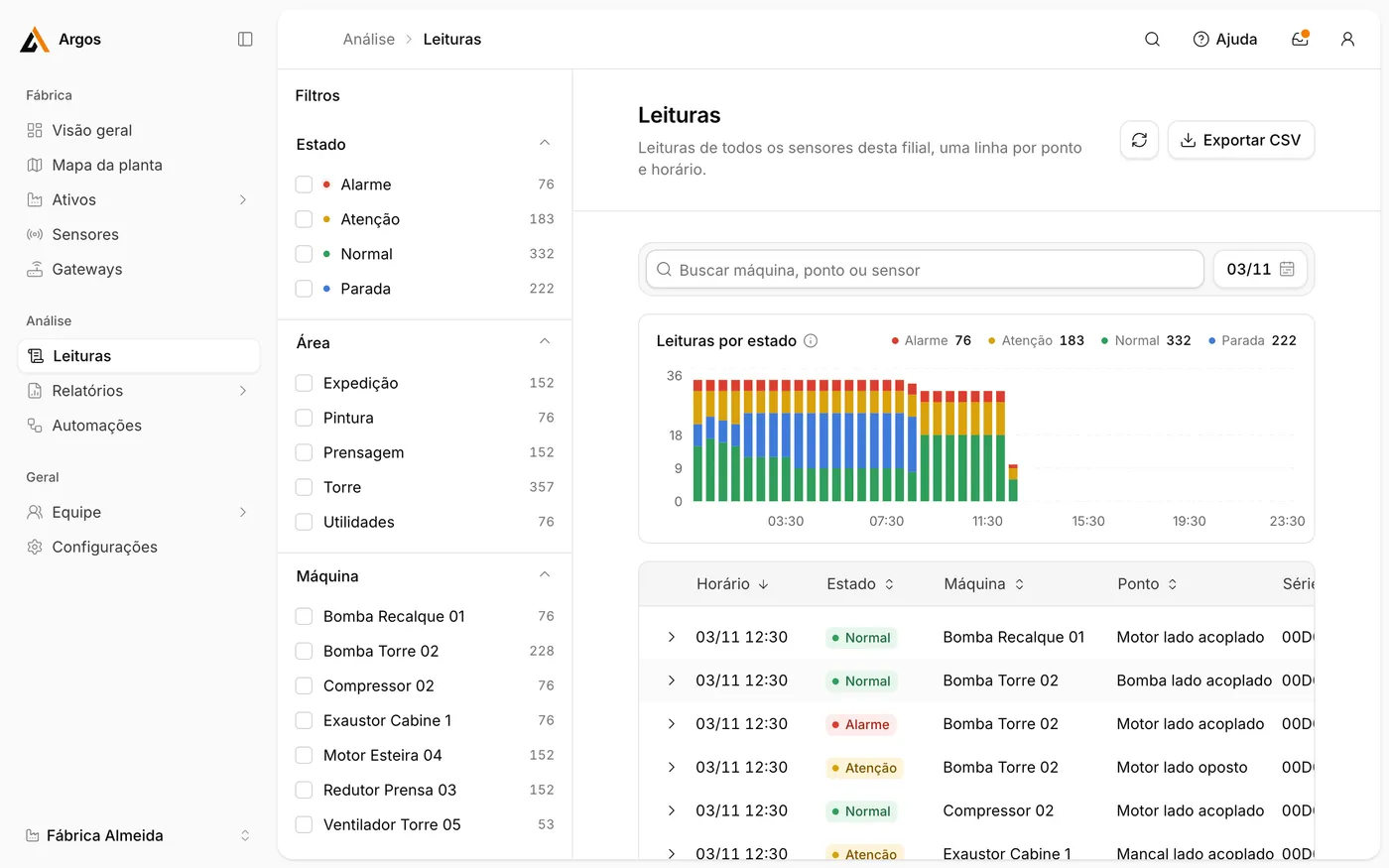
Section titled “Readings”Leituras (Readings) lists one row per measuring point and time.
-
Select a date at the top right.
-
Narrow the list with the filters on the left: Estado (state), Área and Máquina.
-
Click a row to see all values of that reading.
-
Click Exportar CSV to download the list for use in a spreadsheet.
For an explanation of each value, see What the numbers mean.
Reports
Section titled “Reports”Relatórios (Reports) offers the following reports:
| Report | Meaning | Purpose |
|---|---|---|
| Tendência de vibração | Vibration trend | Identify machines whose condition worsens over weeks. |
| Excedências | Limit exceedances | List every reading above a limit. |
| Horas de operação | Running hours | Plan maintenance by operating hours. |
| Disponibilidade de dados | Data availability | Find sensors with missing readings. |
| Bateria | Battery | See which sensors are running low on battery. |