

Install a sensor
What you need
Section titled “What you need”- The sensor and its label with the key.
- The phone app, signed in, with Bluetooth turned on.
- Structural adhesive or a mounting stud.
- A cloth and degreaser to prepare the surface.
- The machine registered in Argos. You can also add it during installation.
1. Prepare the spot
Section titled “1. Prepare the spot”-
Choose the measuring point. See Where to put a sensor.
-
Clean the surface and remove grease, rust and loose paint.
-
Fix the sensor with structural adhesive or a stud. Observe the curing time stated by the adhesive manufacturer.
-
Align the sensor so that the logo points toward the motor shaft.
2. Follow the app
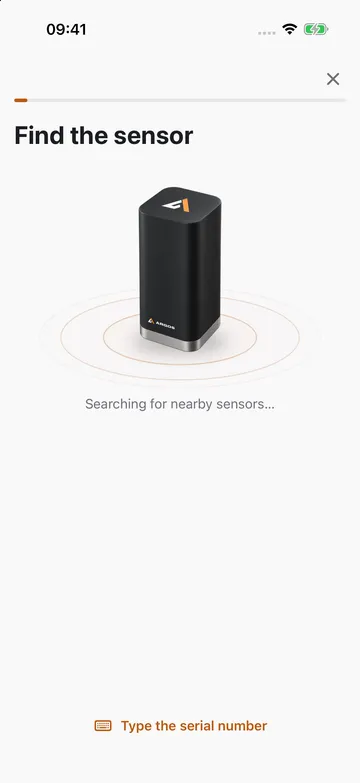
Section titled “2. Follow the app”In the app, go to Sensors and tap + (Install sensor), or open the machine and tap Install sensor. The app guides you through nine steps.
-
Find. The app searches for nearby sensors. You can also tap Type the serial number.
-
Wake. Wake the sensor so the phone can detect it: tap the cap of an A6 firmly twice, or move a Mini by hand. The sensor light blinks once it is awake.
-
Machine. Select the machine the sensor is mounted on, or create a new one.
-
Motor data. Photograph the motor nameplate for reference, then enter the manufacturer, frame size and number of poles from it. The app looks up the bearings in its catalog.
-
Position. Select the measuring point: DE top, DE side, NDE top or NDE side.
-
Photo. Photograph the installed sensor so others can locate it later.
-
Check. The app takes a live reading and shows whether the machine is running or stopped.
-
Connection. Choose how the sensor transmits data. See the table below.
-
Done. Finish, or tap Install another on this machine.
How the sensor sends data
Section titled “How the sensor sends data”| Option | When to use it |
|---|---|
| Through the plant’s Wi-Fi | A6 only, where the machine has reliable Wi-Fi coverage. The sensor transmits on its own. |
| Gateway | Mini only. The app checks that a gateway is within range. |
| Only through the app | A6 only, where the machine has no network. Data is collected with a phone during inspection rounds. |
A sensor connected to a gateway makes first contact within 2 minutes.
Install from the web app
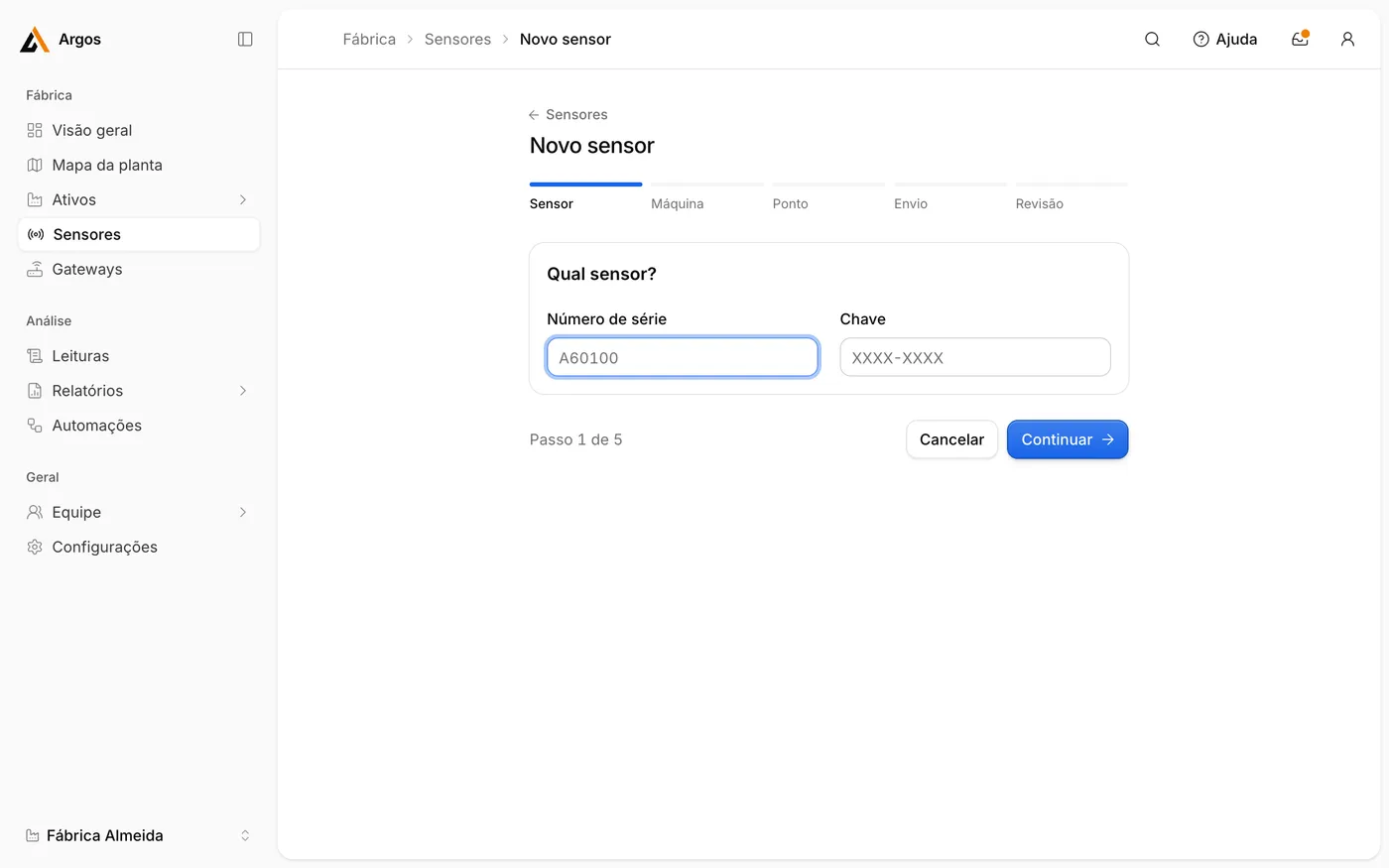
Section titled “Install from the web app”Sensors can also be registered in the web app. Go to Sensores › Novo sensor (New sensor), enter the serial number and key, and then select the machine, the measuring point and the transmission method.
After the install
Section titled “After the install”- The first readings arrive within minutes.
- Each new point spends 7 days learning the normal behavior of its machine.
- If the app shows Pending configuration, go to the sensor and tap Apply settings.