

Find your way around
The web app runs in the browser at argossense.com. Its interface is currently in Portuguese, so this page gives the English meaning of each menu.
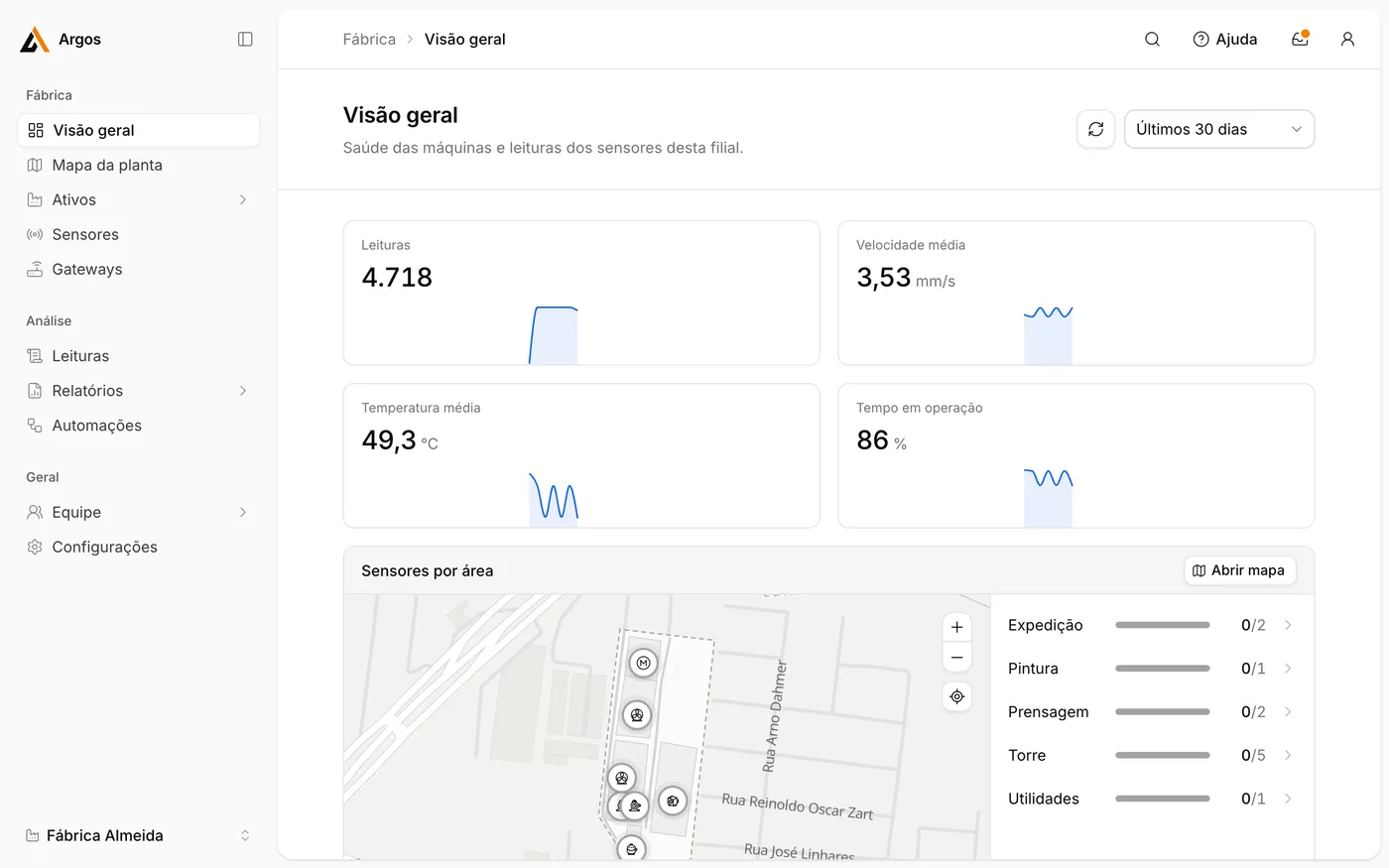
The menu
Section titled “The menu”Fábrica (Plant)
Section titled “Fábrica (Plant)”| Menu | Meaning | Contents |
|---|---|---|
| Visão geral | Overview | Site health: key figures, a map and sensors grouped by state. |
| Mapa da planta | Plant map | Site map with areas and sensor positions. |
| Ativos | Assets | Areas and machines. |
| Sensores | Sensors | All sensors with their latest reading, battery level and signal strength. |
| Gateways | Gateways | All gateways with their state and connection type. |
Análise (Analysis)
Section titled “Análise (Analysis)”| Menu | Meaning | Contents |
|---|---|---|
| Leituras | Readings | All readings, with filters and CSV export. |
| Relatórios | Reports | Vibration trends, limit exceedances, running hours, data coverage and battery status. |
Geral (General)
Section titled “Geral (General)”| Menu | Meaning | Contents |
|---|---|---|
| Equipe | Team | Users, roles and permissions. |
| Configurações | Settings | Profile, notifications, appearance and sites. |
The top bar
Section titled “The top bar”| Control | Function |
|---|---|
| Search | Searches across machines, sensors and pages. Shortcut: ⌘ K on macOS, Ctrl K on Windows. |
| Ajuda (Help) | Keyboard shortcuts, release notes and the guided tour. |
| Bell | Notifications, for example sensors without data or with low battery. |
| Account | Your account settings and sign-out. |
Switch sites
Section titled “Switch sites”The current site (Filial) is shown at the bottom left. Click it to switch to another site.
Take the tour
Section titled “Take the tour”Open Ajuda › Tour pelo app (App tour) for a guided walk through the main menus.