

Areas and machines
Your plant structure is managed under Ativos (Assets). A site is divided into areas, each area contains machines, and each machine has measuring points with sensors.
Add an area
Section titled “Add an area”-
Open Ativos › Áreas (Areas).
-
Click Nova área (New area).
-
Enter a name, for example Pumping or Painting, and save.
Add a machine
Section titled “Add a machine”-
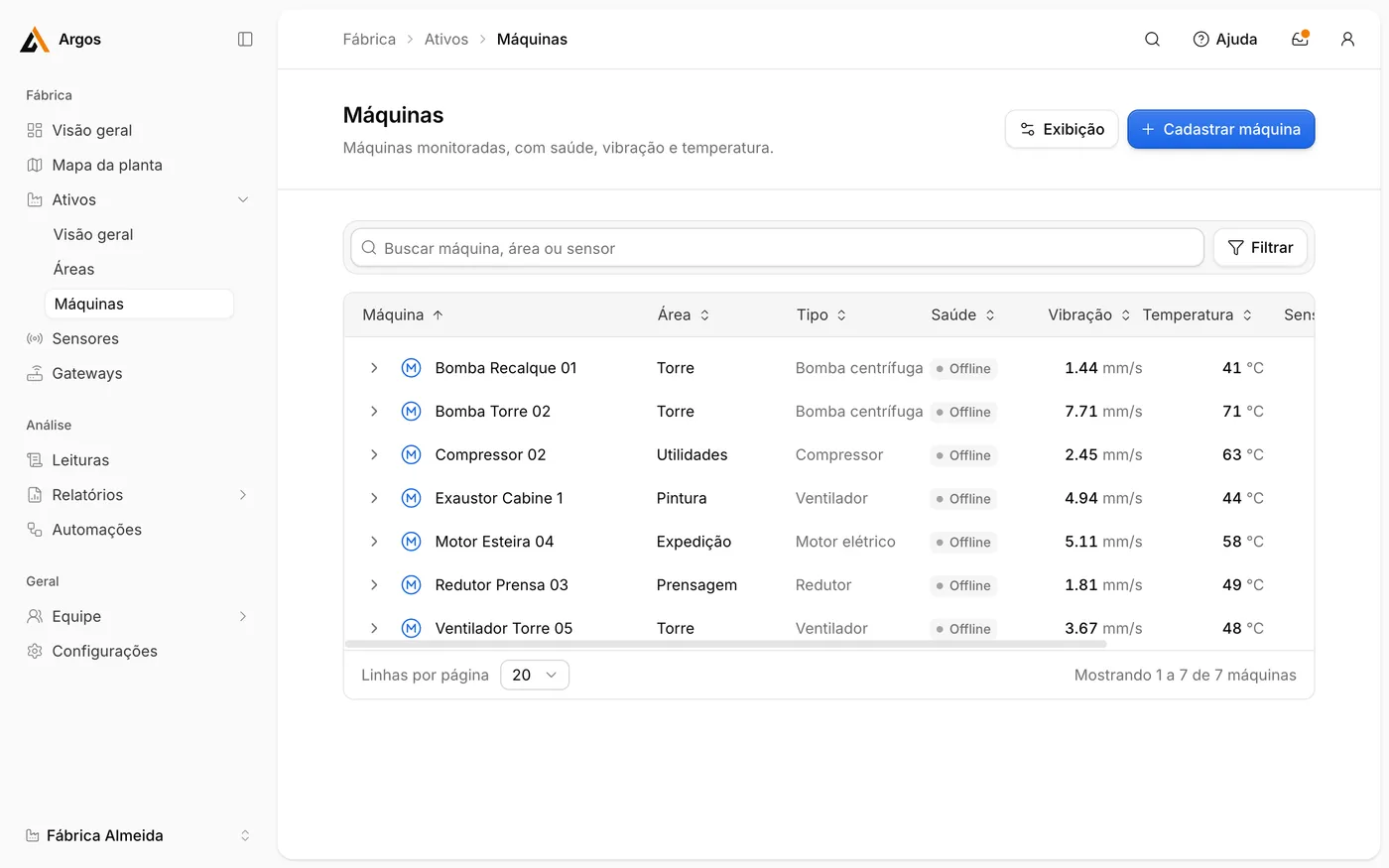
Open Ativos › Máquinas (Machines).
-
Click Cadastrar máquina (Register machine).
-
Select the area and the machine type: centrifugal pump, electric motor, fan, gearbox, compressor, bearing housing or other.
-
Enter a name and, if available, the motor data from the nameplate, such as rated power and speed.
-
Save.
Read a machine
Section titled “Read a machine”Click a machine to open its status panel.
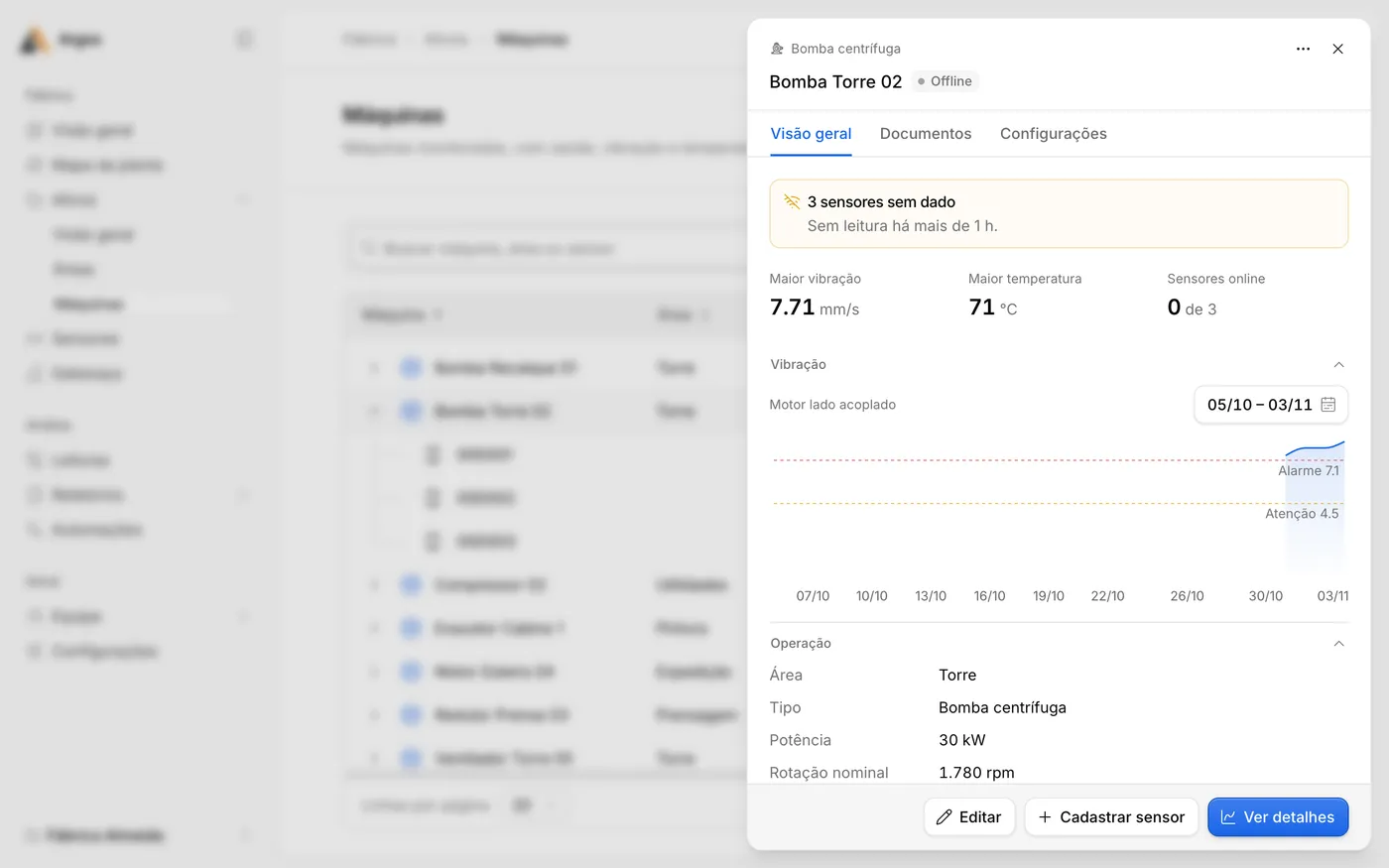
| Panel section | Meaning |
|---|---|
| Maior vibração | Highest vibration on the machine, in mm/s. |
| Maior temperatura | Highest temperature, in °C. |
| Sensores online | Number of sensors that reported recently. |
| Vibração chart | Vibration over time, with attention and alarm limits. |
| Operação | Area, machine type, rated power and speed. |
Ver detalhes (See details) opens all measuring points and charts. Cadastrar sensor adds a sensor to the machine.
The plant map
Section titled “The plant map”Mapa da planta (Plant map) shows the site from above, with areas drawn as zones and each sensor at its location. The side panel lists items that need attention, such as sensors without data, with low battery or with a weak signal.
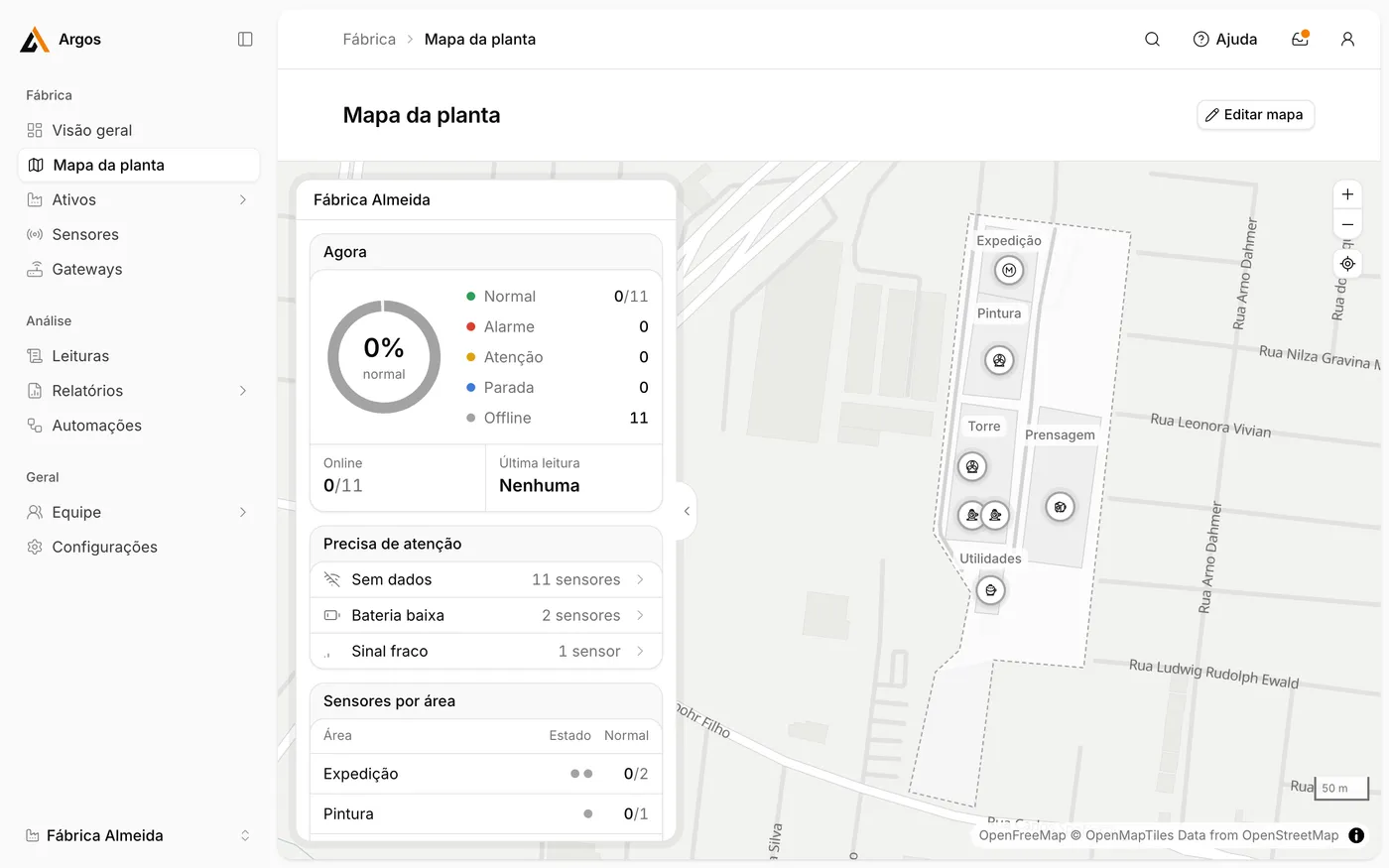
Use Editar mapa (Edit map) to draw zones and place sensors.